YoutubeTools
All guides / Thumbnail design and channel art
Make a YouTube thumbnail
Choose one subject and crop in until the action is recognizable.

Write down the viewer's one-sentence takeaway
For a chair repair tutorial, the image can show the broken joint while the title names the fix. Choose one main subject and give it enough space to read at a glance. Remove props or captions that compete with that subject.
Make two different drafts
Try a close view of the repaired joint and a wider view showing the whole chair. Keep the same headline and color treatment. Compare the pair at small size and ask what you notice first. If the joint disappears in the wide view, choose the close crop or make the area easier to identify.
Check the edges and corner
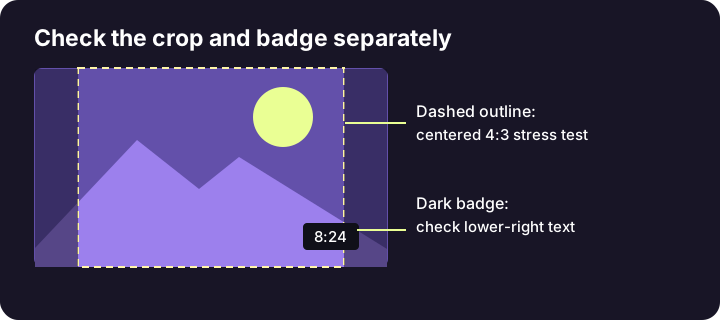
Keep important text and faces away from the border. Use a small-card crop simulation and check the lower-right corner for potential badge overlap. If text crosses a bright and a dark part of the image, add a quiet backing or move the text. The preview helps catch visual problems, while audience performance requires publishing data.
Export and verify
Keep the editable design. Export the image, check the current upload requirements, and inspect the exported file in a browser. Compare it next to the final title. Ask whether someone can understand the task before opening the video. If not, simplify the pair before adding more text.
Related tool
Compare up to two thumbnail drafts at desktop and mobile card sizes.